 kinmo
kinmoThe reward layer for agent work
Make progress feel rewarding.
Turn work with your coding agents into a town your team builds together. Celebrate progress, stay aligned, and make the time between tasks count.
For macOS, Windows and Linux
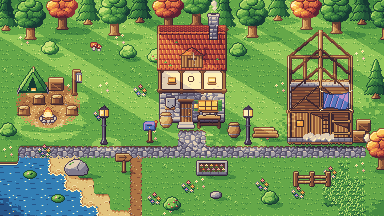
Works alongside the coding tools you already use
- Codex
- Claude Code
- OpenCode
- Gemini CLI
- Cursor
- Muse
- Qwen Code
- Factory Droid
- Copilot CLI
Integration capabilities vary by tool and session. See compatibility details
Make downtime useful
Less waiting. More momentum.
While one agent works, move the next task forward. See which session needs you, line up another, or use the gap to align with your team.
Keep your agents moving
Working, waiting for you, or idle: see the state each tool reports and where you can help next.
Put the gap to work
Review a result, plan your next session, or share a useful update while another task runs.
See your effort add up
Your tools' pixel companions turn real coding work into resources for your farm and shared town.
Bring the team along
Invite teammates with a link or code and give your everyday work a shared goal.
- Landing pageCodex · Refining the layoutWorking
- Invite hand-offClaude Code · Ready for reviewWaiting
- Setup guideOpenCode · DraftedIdle
Stronger team culture
Build a town. Build a team.
A shared town gives your team something tangible to work toward. Talk through blockers, align on what matters, and celebrate the things you make possible together.
Make progress a conversation
Share a short work brief with the task, progress, blockers and result so teammates know where to help.
Rally around a shared goal
Pool your harvests into town projects. Every finished building is a win you contributed to together.
Share on your terms
Choose who can see your work, brief by brief and session by session.
- Task
- Explain the setup flow
- Progress
- Drafted three steps
- Blockers
- None
- Result
- Ready for review
A reason to keep going
Give everyday effort a visible payoff.
When work loses momentum
- Waiting on one session while another needs you
- Progress buried in long transcripts
- Teammates unsure where they can help
- Individual wins with nowhere to add up
Working in Kinmo
- Spot the next session that needs you
- Share a short update and clear a blocker
- Turn real coding work into farm resources
- Build town projects your whole team can enjoy
Shared progress · sample town
Good work deserves a little celebration.
Watch your effort take shape. Coding work grows your farm; each harvest brings your team closer to its next building, upgrade, and shared win.
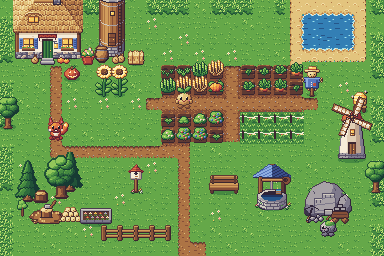
Today's harvests
3 farms- Carrots ×25Wheat ×18
- Carrots ×20Berries ×10
- Stone ×10Carrots ×15
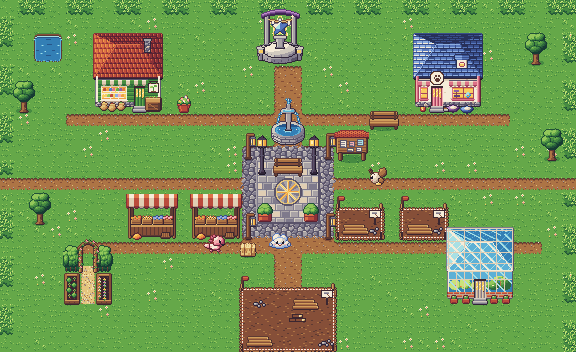
Community garden
- Carrots60 / 60
- Berries30 / 40
- Stone20 / 40
When it's done, every member's fields get +5%.
- Trade with teammatesSwap crops and clovers in one exchange that both sides confirm.
- Make room for connectionMeet teammates in the town square, favorite pets in tow.
- Grow beyond one teamLink several teams' cities into a guild.
Get started
Bring your work. Grow together.
Install the desktop app
Download for macOS (Apple silicon), Windows (including WSL) or Linux (.deb or AppImage). Builds are not code-signed yet, so your system warns you before the first launch.
Connect your tools
Choose the coding tools you use. Your sessions keep running where they already are.
Invite your team
Send a link or a short code and start building together. A workspace holds up to five people.
Questions, answered.
Does Kinmo replace my coding tools?
No. Kinmo adds rewards and shared goals around the work you already do. Your coding tools keep running in their native environments, with their own trust settings and approval flows.
Which tools can I connect?
Kinmo has integrations for Codex, Claude Code, OpenCode, Gemini CLI, Cursor, Muse, Qwen Code, Factory Droid and Copilot CLI. Observation capabilities vary. Messaging is experimental and available only for supported Codex and Claude Code sessions; the other integrations are observation only.
What can teammates see?
The overview starts with session metadata. You choose which work briefs and sessions to share. Conversations from your connected tools are collected for you once you allow observation; access for other people is controlled separately.
How do invite links work?
Opening an invite link in your browser opens Kinmo on that workspace's invitation, showing its name, members and your role. Nothing changes until you choose to join. If Kinmo is not installed, the page explains how to get it.
Can I download Kinmo?
Yes. Download the desktop app for macOS (Apple silicon), Windows (including WSL) or Linux. Builds are not code-signed yet: on Windows, choose More info, then Run anyway; on macOS, choose Open Anyway in System Settings › Privacy & Security.